
Hello, we are SEFORAA.

Contact us to ask about the applications, request a quotation, or schedule a demo. Our team is ready to help during business hours.

Schedule a demo

Follow us

SEFORAA Accounting: accounting software for mid-sized companies

Bookkeeping, sales, purchasing, inventory and tax reporting connected to Coretax, all in one accounting software installed on your server under a perpetual license.

Accounting software from practitioners

Built from experience managing clients' books and taxes since 2004

SEFORAA Accounting is developed by PT Tilyanpristka, a provider of accounting and tax compliance BPO services. Every flow in it, from sales invoices to financial reports, follows the way of working of an accounting team that handles real transactions of many companies every day.

The result is complete accounting software for mid-sized companies: ready to use from standard templates, and quick to customize when your company has special needs.

  • Automatic journals from every transaction
  • Connected to Coretax through a PJAP (separate monthly fee)
  • Installed on your own server with a perpetual license
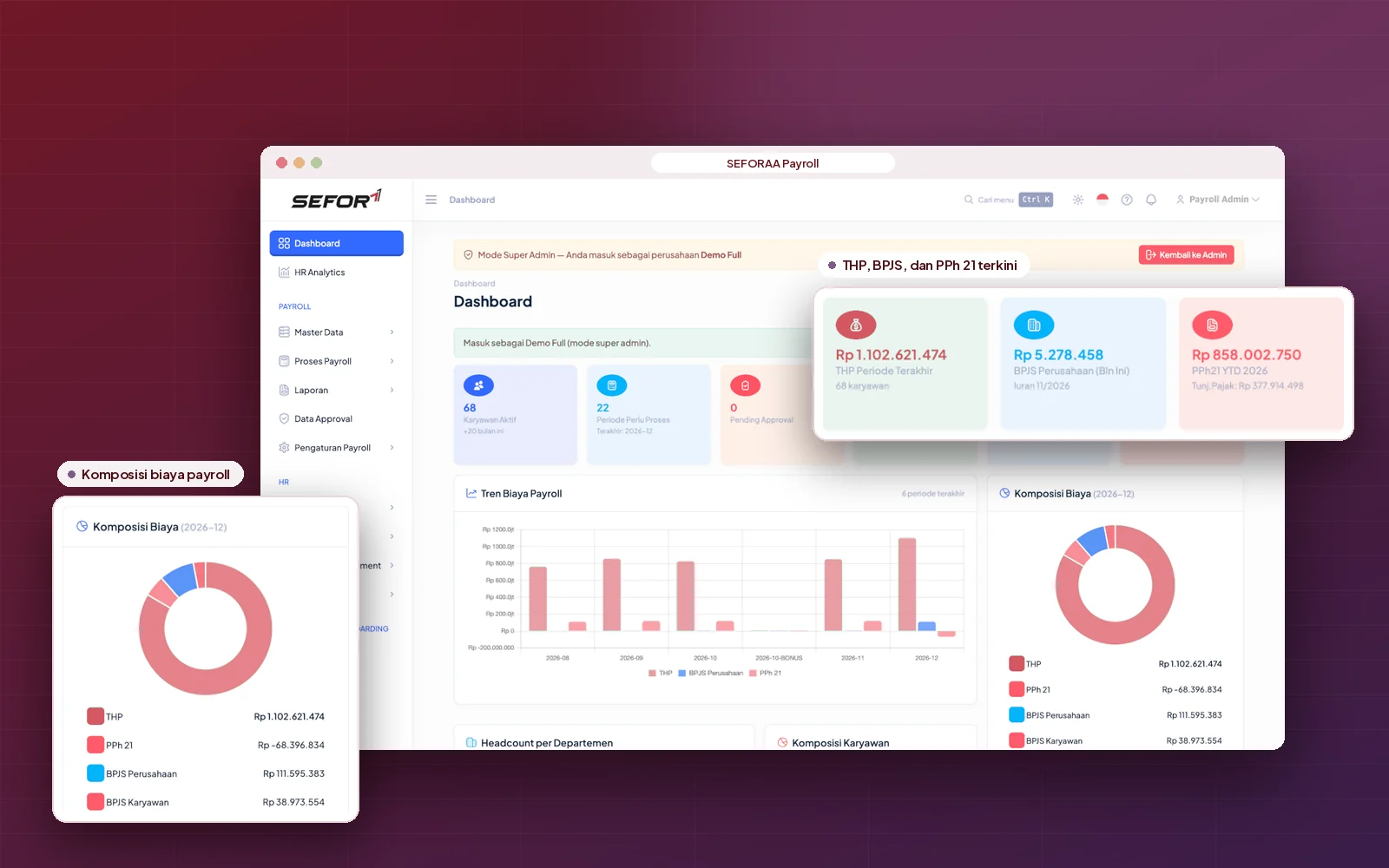
  • Automatic payroll journals from SEFORAA Payroll
SEFORAA Accounting dashboard

Why SEFORAA Accounting

Four reasons companies choose SEFORAA Accounting

  • Yours, not rented

    Installed on your server under a perpetual license, not a SaaS subscription.

    Perpetual licenseYour server
  • Connected to Coretax

    Tax data from transactions is sent to Coretax through an official PJAP (separate monthly fee).

    CoretaxPJAP: separate monthly fee
  • Quick to customize

    Born from varied client accounting cases, so adaptation is faster.

    Transaction flowSpecial reports
  • From tax practitioners

    Developed by a team that handles clients' accounting and tax every month.

    PT Tilyanpristka BPO service

SEFORAA Accounting modules

Complete modules for the whole company accounting cycle

Filter by group to see the modules most relevant to your team.

  • General ledger and journals

    Flexible chart of accounts, general journals and double-entry bookkeeping with multi-year fiscal periods.

    Bookkeeping & cash
  • Sales and receivables

    Quotations, sales orders, deliveries, invoices, returns, through to receipt and allocation of customer payments.

    Sales, purchasing & stock
  • Purchasing and payables

    Purchase orders, goods receipts, supplier invoices, returns, plus payment and allocation of payables.

    Sales, purchasing & stock
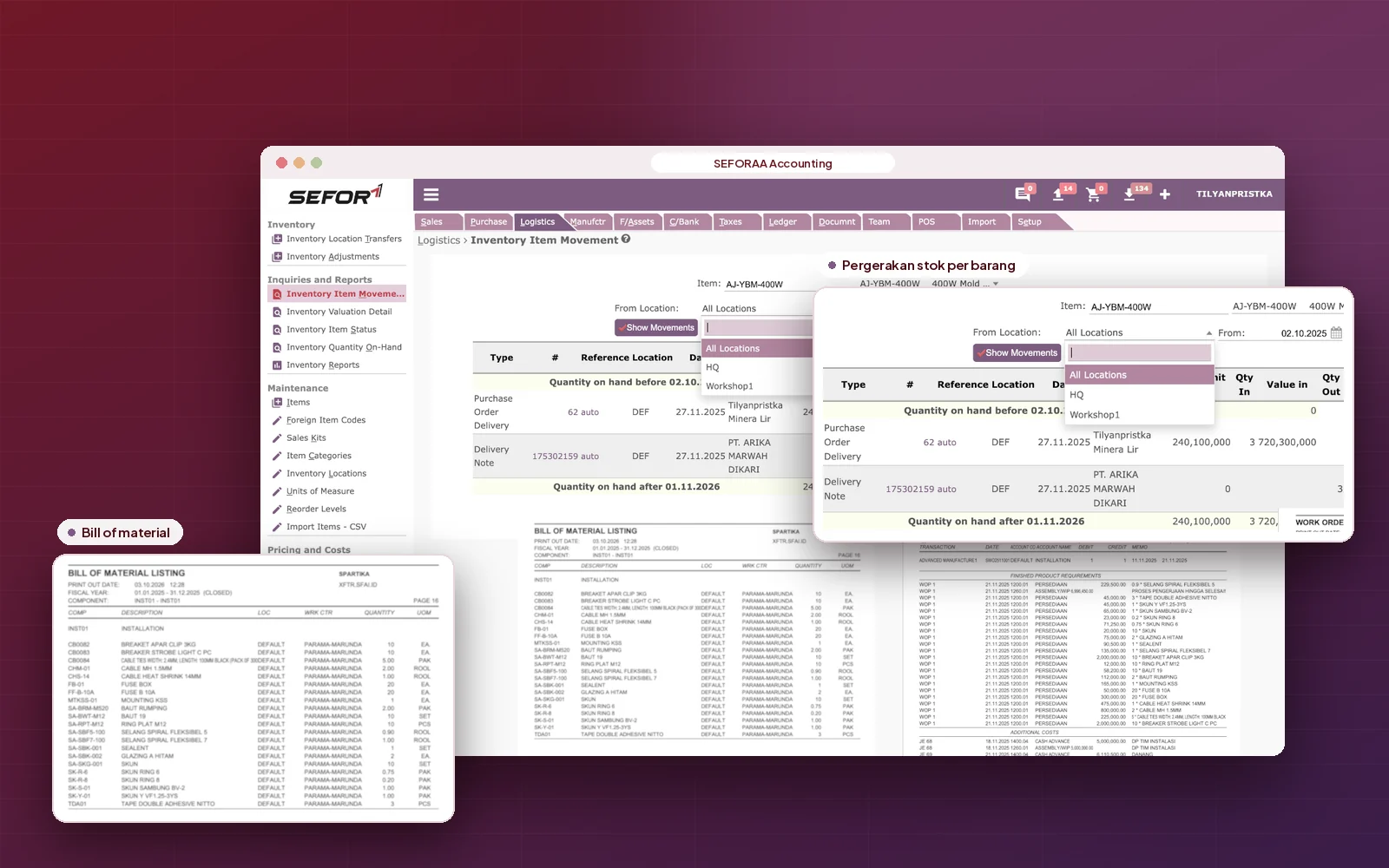
  • Multi-warehouse inventory

    Stock by location, inter-warehouse transfers, stock adjustments, reorder limits and inventory valuation.

    Sales, purchasing & stock
  • Manufacturing

    Bills of materials (BOM), work orders and production cost recording for assembly as well as staged production.

    Sales, purchasing & stock
  • Fixed assets

    Asset recording, automatic depreciation each period, through to asset disposal.

    Bookkeeping & cash
  • Cash and bank

    Receipts, payments, inter-account transfers and bank reconciliation.

    Bookkeeping & cash
  • Budgeting

    Prepare budgets per account and per dimension, then compare them with actuals.

    Bookkeeping & cash
  • Project and cost center dimensions

    Track revenue and costs per project, department or branch across up to two dimension levels.

    Bookkeeping & cash
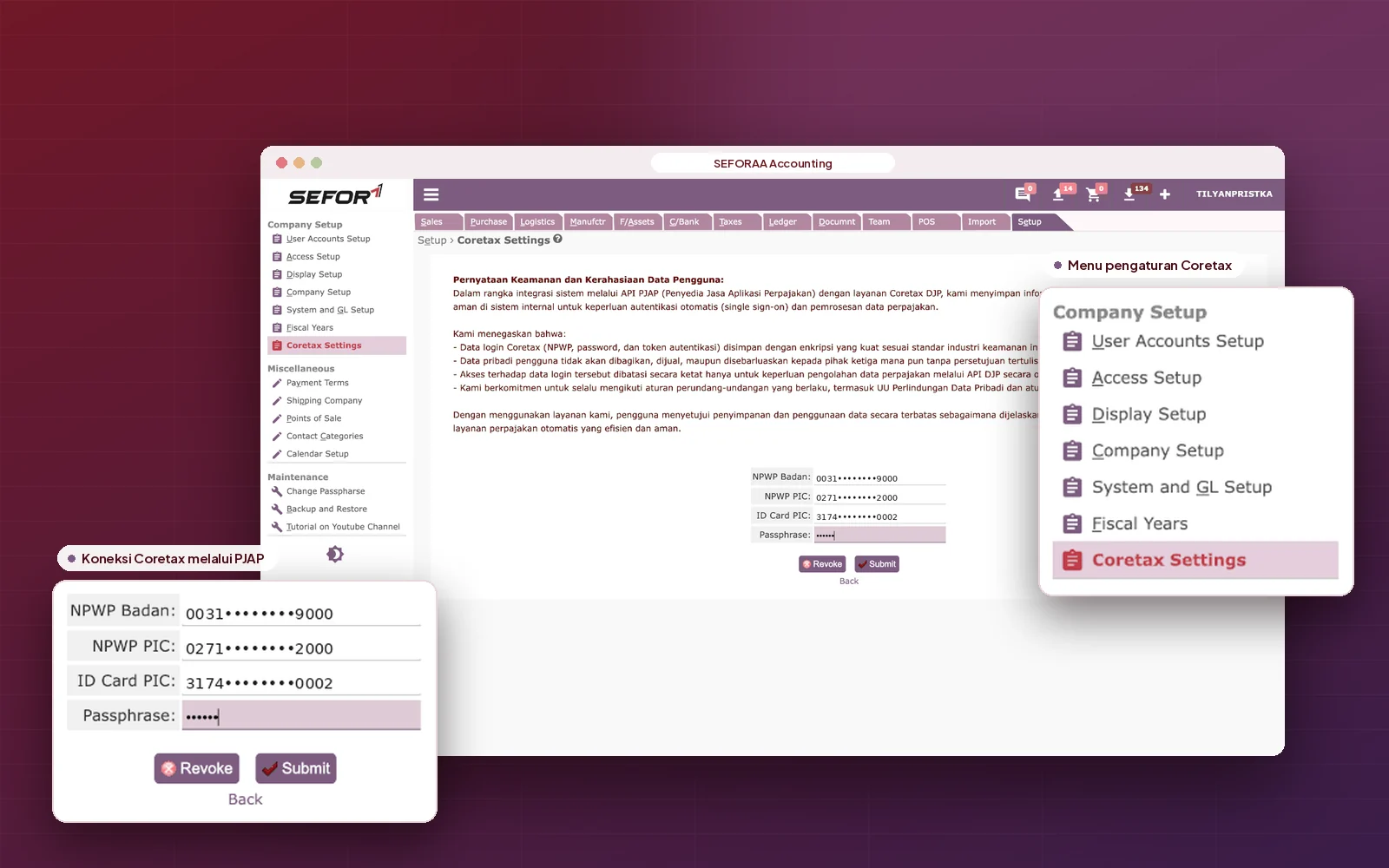
  • Tax and Coretax

    Tax type and group settings, plus the connection to Coretax through a PJAP (separate monthly fee).

    Tax, reports & control
  • Multiple companies and currencies

    Several companies in one installation, multi-currency transactions and exchange rate revaluation.

    Tax, reports & control
  • Access rights and audit trail

    Set access rights per user role and trace the history of every transaction.

    Tax, reports & control
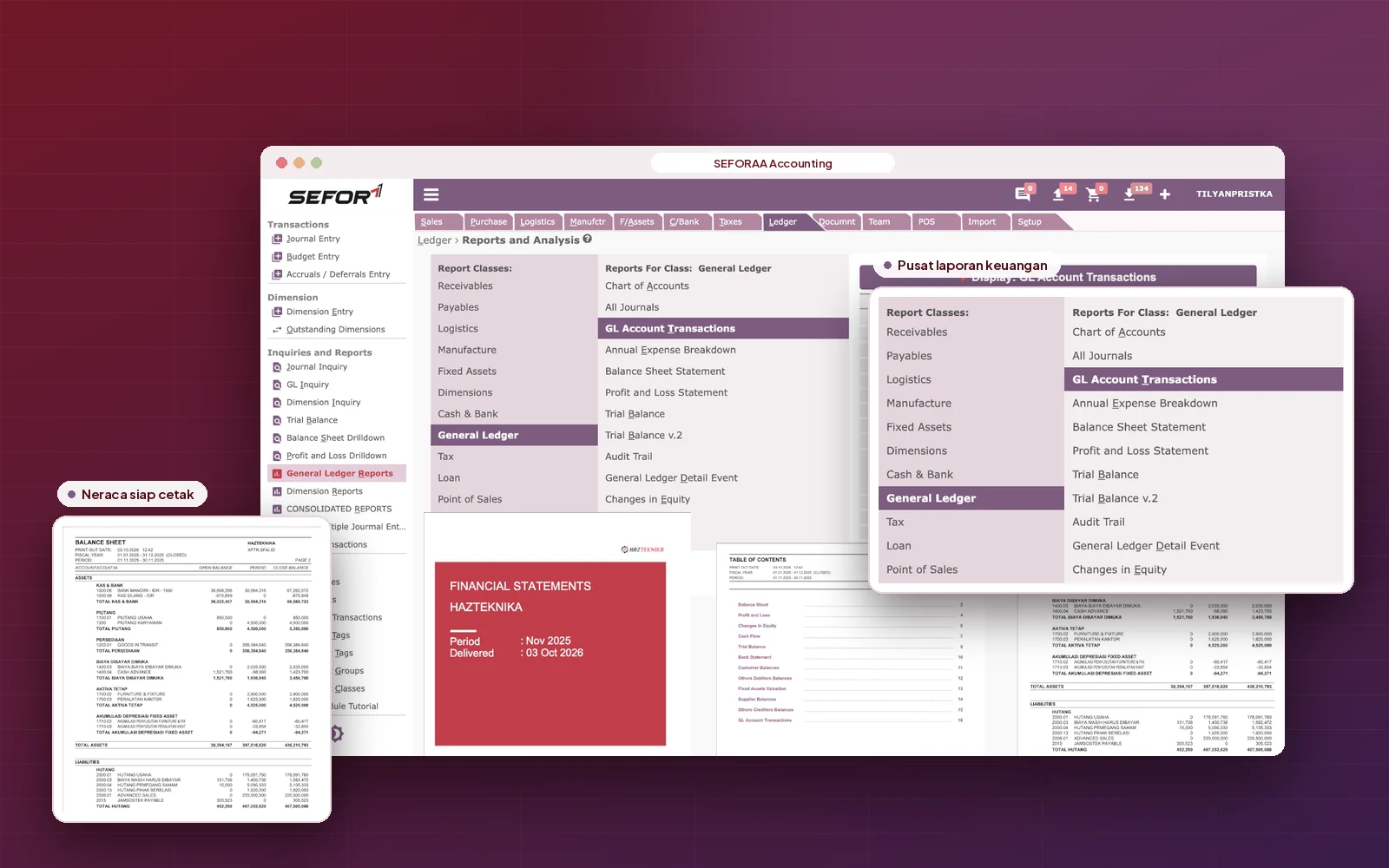
  • Reports and analysis

    Balance sheet, profit and loss, trial balance, general ledger, receivables and payables aging, ready to export to Excel and PDF.

    Tax, reports & control

Need a feature that is not listed?

Discuss your needs

Closer look

From sales invoice to financial report.

Sales and receivables

Sales and receivables always under control

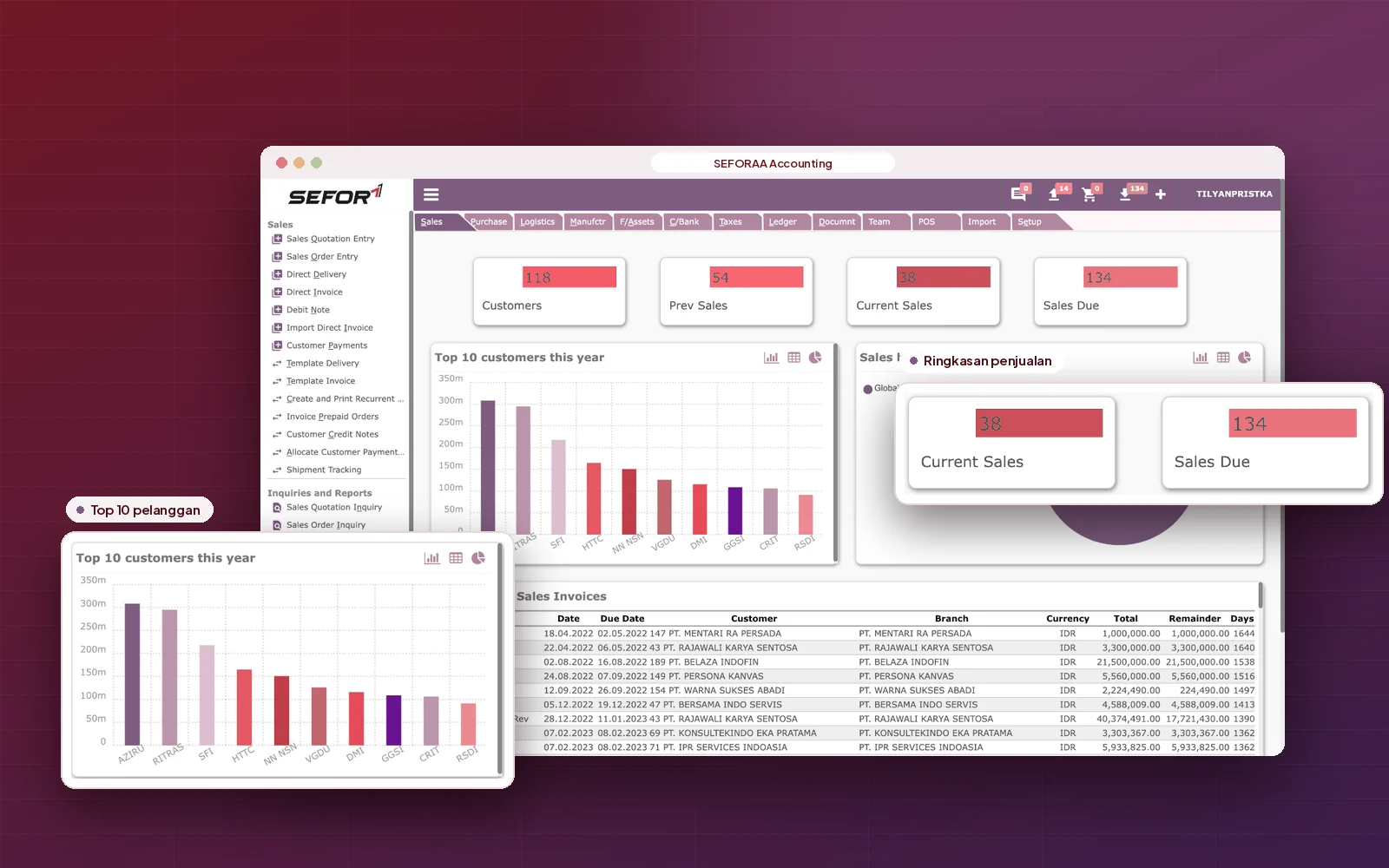
From quotation to settlement, every sales document is linked and automatically creates journals. The finance team can see each customer's receivables position at any time without waiting for a recap.

  1. Quotations, orders, deliveries and invoices in one flow
  2. Recurring invoices for routine billing
  3. Sales returns and credit notes
  4. Payment receipts and allocation to invoices
  5. Price lists, discounts and credit limits per customer
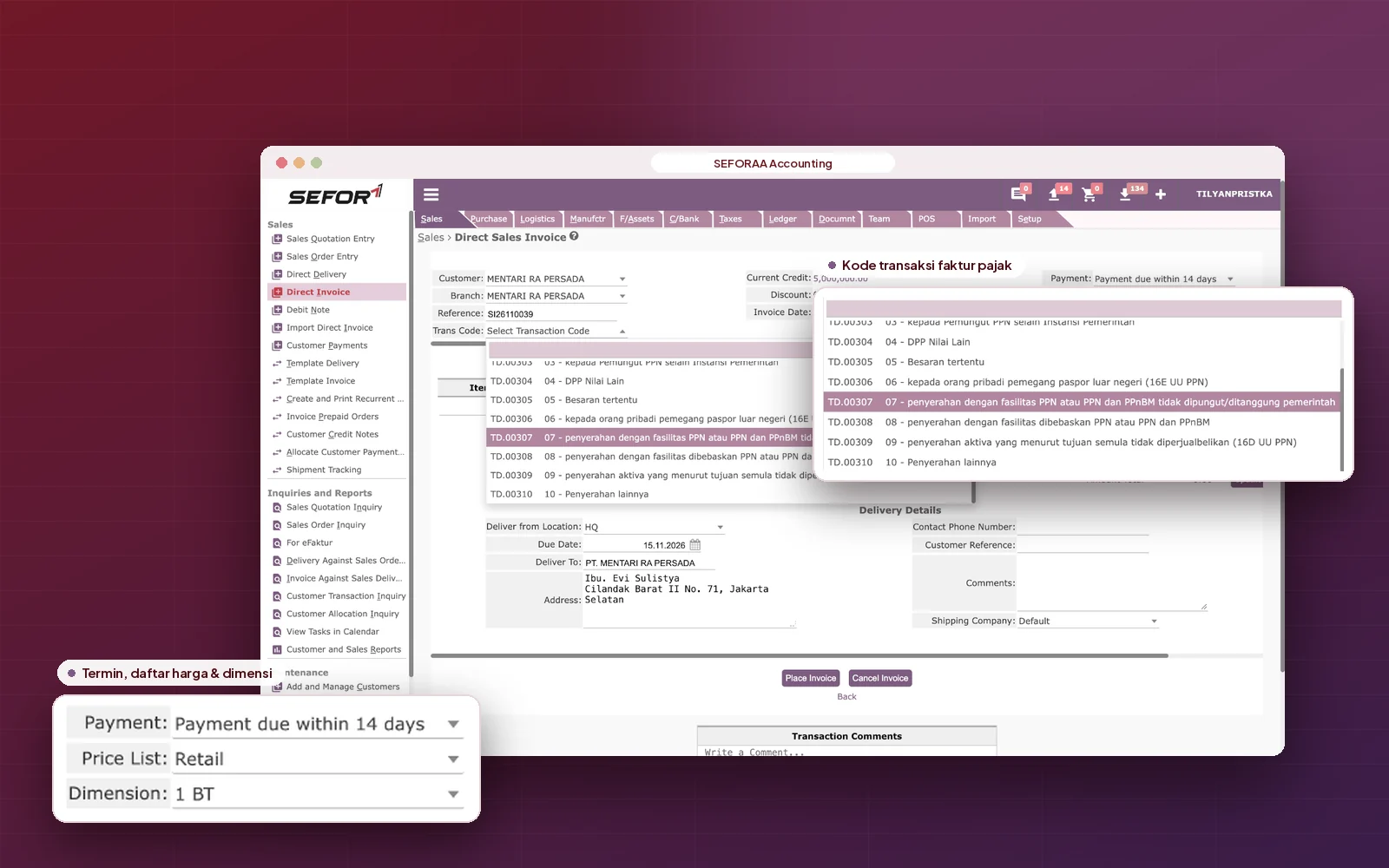
Sales invoice screen in SEFORAA Accounting

Purchasing and inventory

Accurate purchasing and inventory in every warehouse

Purchase orders, goods receipts and supplier invoices are recorded in sequence, while stock at each location is updated along with them. Inventory value in the financial reports stays in line with the condition of the warehouse.

  1. Purchase orders, goods receipts and supplier invoices
  2. Stock by location and inter-warehouse transfers
  3. Stock adjustments and stock count sheets
  4. Reorder limits for every item
  5. Inventory valuation
  6. Landed Cost
Multi-warehouse inventory stock in SEFORAA Accounting

Tax and Coretax

Tax connected to Coretax through a PJAP (separate monthly fee)

SEFORAA Accounting connects to Coretax through the API of a PJAP (tax application service provider, separate monthly fee), a company appointed by the Directorate General of Taxes to provide tax application services. Tax data from your transactions does not need to be retyped into Coretax.

  1. Tax type and group settings
  2. Tax data prepared directly from transactions
  3. Connected to Coretax through an official PJAP (separate monthly fee)
Tax settings and Coretax connection in SEFORAA Accounting

Financial statements

Financial reports whenever needed

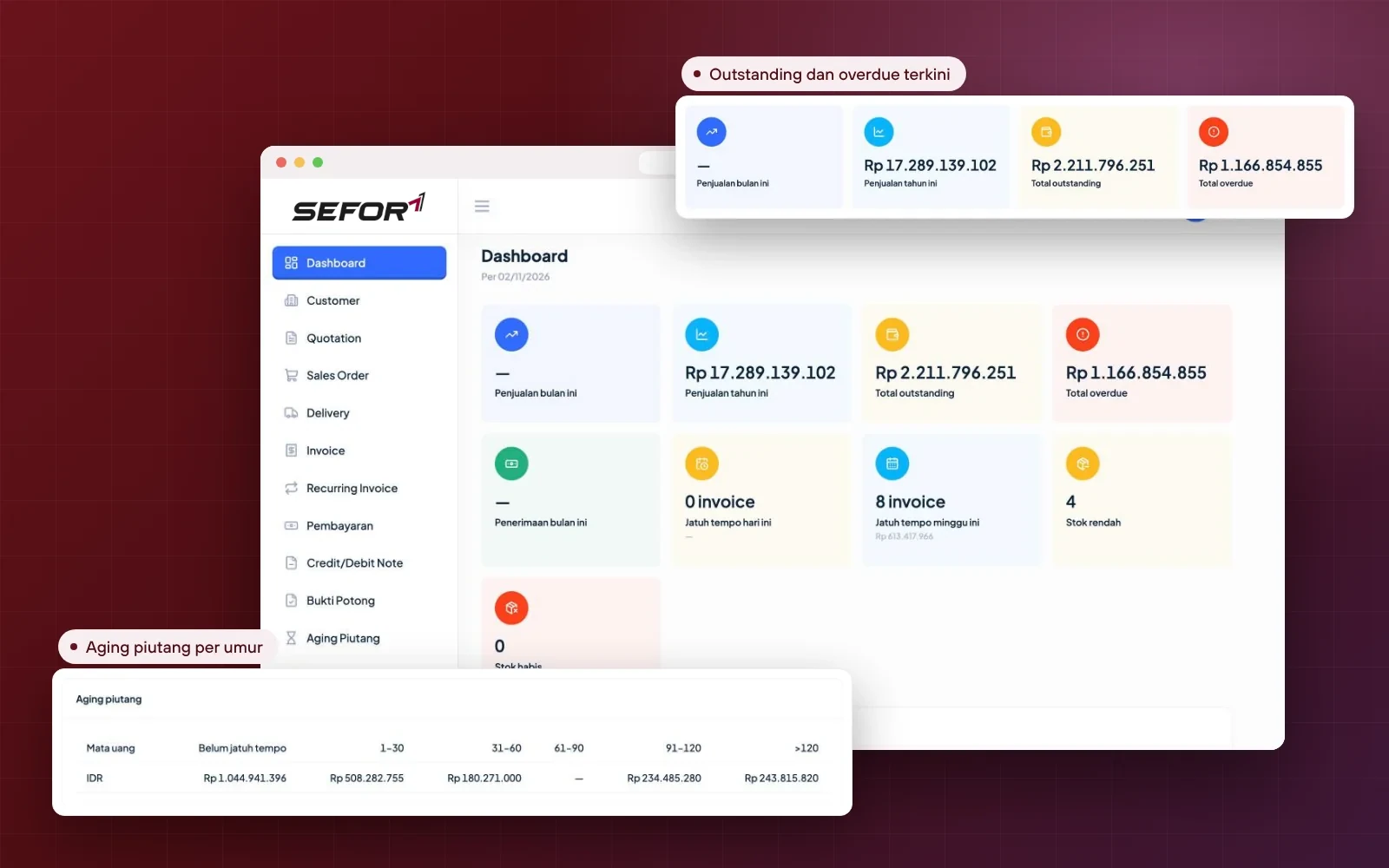
All reports are built from the same transaction data, so figures in the balance sheet, profit and loss and general ledger are always consistent. Every figure can be traced back to its source document.

  1. Balance sheet, profit and loss and trial balance
  2. General ledger and reports per dimension
  3. Receivables and payables aging
  4. Inventory valuation
  5. Export to Excel and PDF
  6. Monthly Management Report
Financial reports in SEFORAA Accounting

Customization and integration

Fast customization, because it was born from varied real cases

SEFORAA Accounting is used by PT Tilyanpristka to serve many clients with different business types, transaction flows and reporting needs. Because it is used to being adapted to many cases, customization for your company can be done faster.

Can be adapted or developed together with our team

  • Standard templates proven across many clients
  • Adjustments to transaction and approval flows
  • Special reports to match management needs
  • Additional features for unique business processes
  • Data import from an old application or other systems
  • Integration with other systems through API (can be developed)

Installation

Choose the installation that suits you

Main option

Installed on your own server

SEFORAA Accounting is installed on your company's server under a perpetual license. Data stays fully under company control.

Perpetual license, not a monthly rentalNot a SaaS subscriptionData stored on your own server

No server yet?

Hosting by SEFORAA

No server yet? We offer hosting as a separately charged service, so your team can focus on using the application right away.

Discuss with us

Implementation

From analysis to a running application.

Four steps we take together with your team, from studying transaction flows to support after the application goes live.

  1. Step 1

    Needs analysis

    We study the transaction flows, chart of accounts and reports your company needs.

  2. Step 2

    Template customization

    The standard SEFORAA Accounting template is adapted to your company's special needs.

  3. Step 3

    Data migration and training

    Master data and opening balances are moved, then your team is trained to use the application.

  4. Step 4

    Go-live and support

    The application starts being used for daily transactions, with support from our team.

Self-service demo On Progress

Try SEFORAA Accounting yourself, with sample company data.

Request a password with your work email, then trace the flow from sales invoices to financial reports, any time without waiting for a schedule.

How to try

  1. Fill in the form with your work emailPublic emails such as Gmail or Yahoo cannot be used.
  2. Receive the password by emailOur team sends the demo password to your work email.
  3. Log in following the User Guide (PDF)The address and username for login are written in the guide.

Demo data resets every 24 hours, so feel free to explore.

On Progress

The SEFORAA Accounting self-service demo is being prepared.

The password request form will open here together with the User Guide (PDF). In the meantime, our team is ready to show the application live.

Schedule a demo with our team
Prefer to be guided? Schedule a demo with the team that does this work every day, using scenarios close to your company's situation.

Frequently asked questions

About SEFORAA Accounting

More questions? See the Pricing page or contact us.

What is SEFORAA Accounting?

SEFORAA Accounting is accounting software for mid-sized companies covering the general ledger, sales and receivables, purchasing and payables, inventory, manufacturing, fixed assets, cash and bank, budgeting, through to tax reporting connected to Coretax. It is developed by PT Tilyanpristka and marketed by PT SEIA FORTUNA ABADI INTEGRA.

Is SEFORAA Accounting subscription-based (SaaS)?

No. SEFORAA Accounting is installed on your company's server under a perpetual license; modifications, fixes and maintenance are available through SEFORAA's paid annual support service. If your company does not have a server yet, SEFORAA hosting is available as a separately charged service.

Does SEFORAA Accounting connect to Coretax?

Yes. SEFORAA Accounting connects to Coretax through the API of a PJAP (tax application service provider, separate monthly fee), so tax data from transactions does not need to be re-entered.

What is a PJAP?

A PJAP (Penyedia Jasa Aplikasi Perpajakan, or tax application service provider) is a company appointed by the Directorate General of Taxes to provide tax applications and services for taxpayers. Its rules are set in Director General of Taxes Regulation No. PER-5/PJ/2025, which aligns the PJAP role with the Coretax system. PJAP services are charged as a separate monthly fee, outside the SEFORAA license.

Is there a monthly fee for the Coretax connection?

Yes. The Coretax connection uses a PJAP (tax application service provider) service that is charged as a separate monthly fee. The SEFORAA license itself is perpetual with no subscription fee; other recurring fees apply only to annual support and to hosting by SEFORAA if you choose it.

Can SEFORAA Accounting be customized?

Yes, and fast. SEFORAA Accounting is built from the standard templates PT Tilyanpristka uses to serve many clients with different accounting cases, so adjustments to workflows, reports and special features can be done faster.

Can SEFORAA Accounting connect to other systems?

Currently SEFORAA Accounting is integrated with SEFORAA Payroll. Connections to other systems you use can be developed through data import or API, adapted to your company's needs.

Is SEFORAA Accounting integrated with other SEFORAA applications?

Currently SEFORAA Accounting is integrated with SEFORAA Payroll, so payroll results automatically become payroll journals in the books.

Can it be used for several companies or branches?

Yes. Several companies can be managed in one installation, and the dimension feature can separate revenue and costs per branch, project or department.

Does it support foreign currency transactions?

Yes. SEFORAA Accounting supports multi-currency transactions, including exchange rate revaluation for accounts in foreign currencies.

How can I see a SEFORAA Accounting demo?

Fill in the form on the Contact page. Our team will contact you to schedule a demo that suits your company's needs.

RaaS Result as a Service

No software to buy. Just receive the results.

Through Result as a Service, the PT Tilyanpristka BPO team records transactions, prepares journals and prepares your company's financial reports. You simply receive ready-to-use reports, without buying accounting software and without building your own bookkeeping team.

Learn about RaaS (opens in a new tab)

PT Tilyanpristka services since 2004