SEFORAA Consultant Timesheet: timesheet software for consulting firms
One application to record working hours, manage each client's deadlines, and make sure all work has been reviewed before it is sent. Built for tax consulting, accounting service and payroll firms.
No more client deadlines missed, or work held up without anyone knowing
A consulting firm lives on deadlines: PPh must be paid, VAT must be filed, salaries must be paid on time, for dozens of clients at once. At the same time, every piece of work must be checked by a reviewer before it reaches the client.
SEFORAA Consultant Timesheet is developed and used every day by PT Tilyanpristka to manage accounting, tax and payroll work for dozens of BPO clients. The same way of working is now available for your firm.
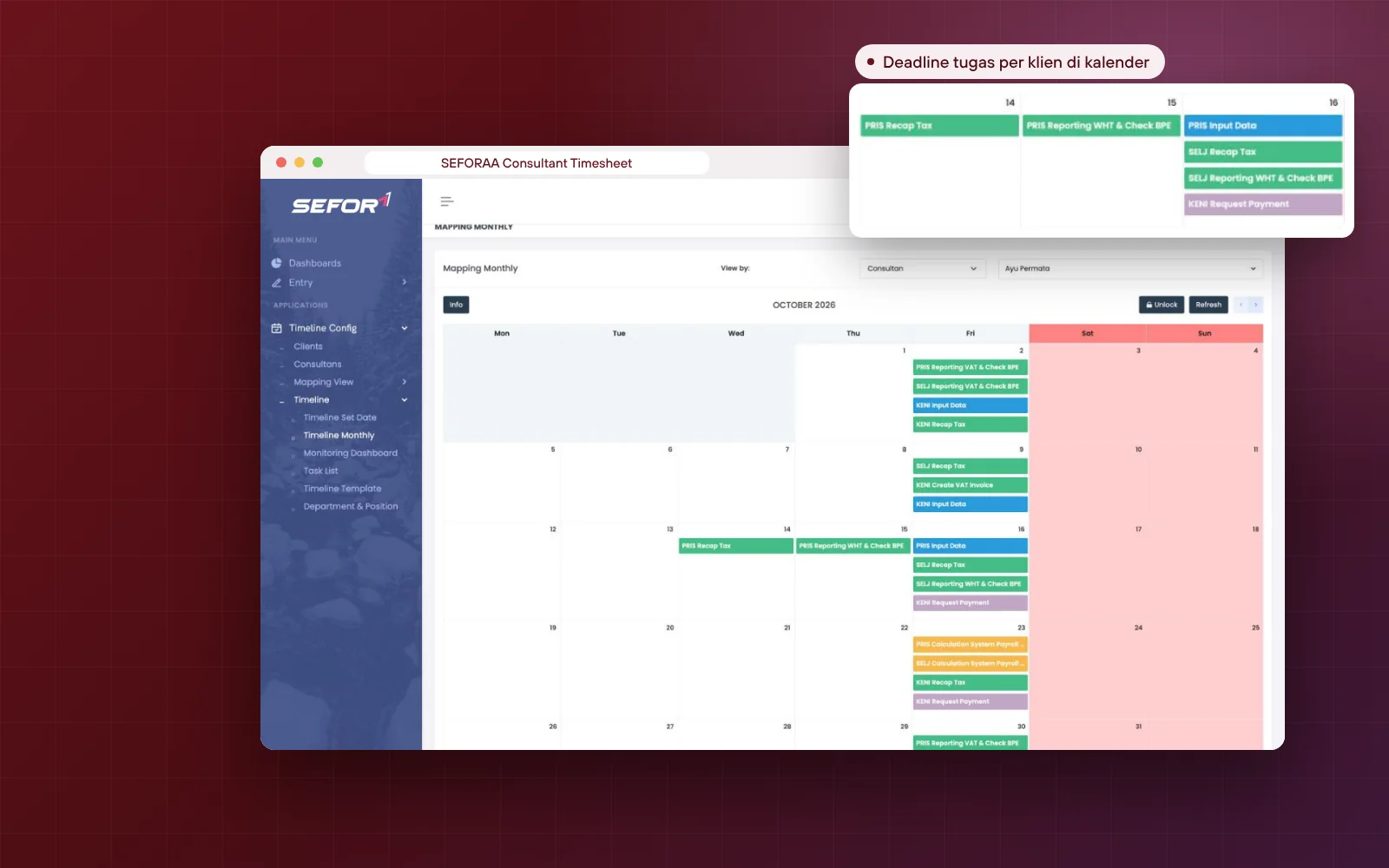
Recurring deadline timelines per client, automatically adjusted for holidays
Timesheets linked to clients, tasks and work status
Review and final review multi-level before being sent to the client
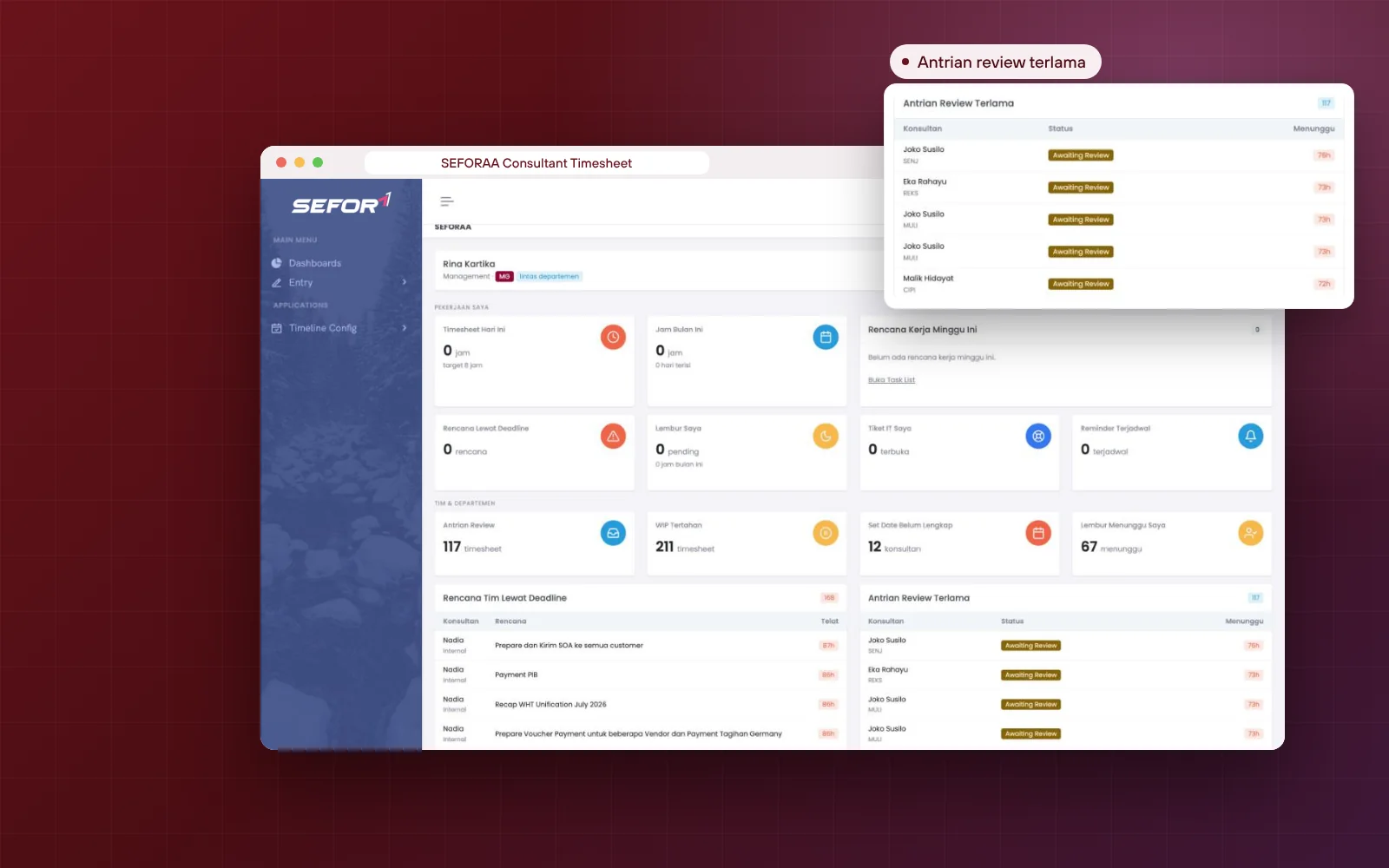
Dashboard that shows who is behind and which work is held up
Tax deadlines and routine work for every client arranged automatically
Set each client's monthly schedule once on the calendar: when data is requested, when work is done, when it is reviewed, and when tax is paid and filed. Next month's timeline is generated automatically from the same schedule.
Schedules per client and per consultant with drag and drop
Date rules: fixed, move earlier or move later when it falls on a holiday
Monthly timelines generated automatically from templates
Recurring, one-off and ad-hoc work
Weekly work plan with deadlines
Warnings for plans that pass their deadline
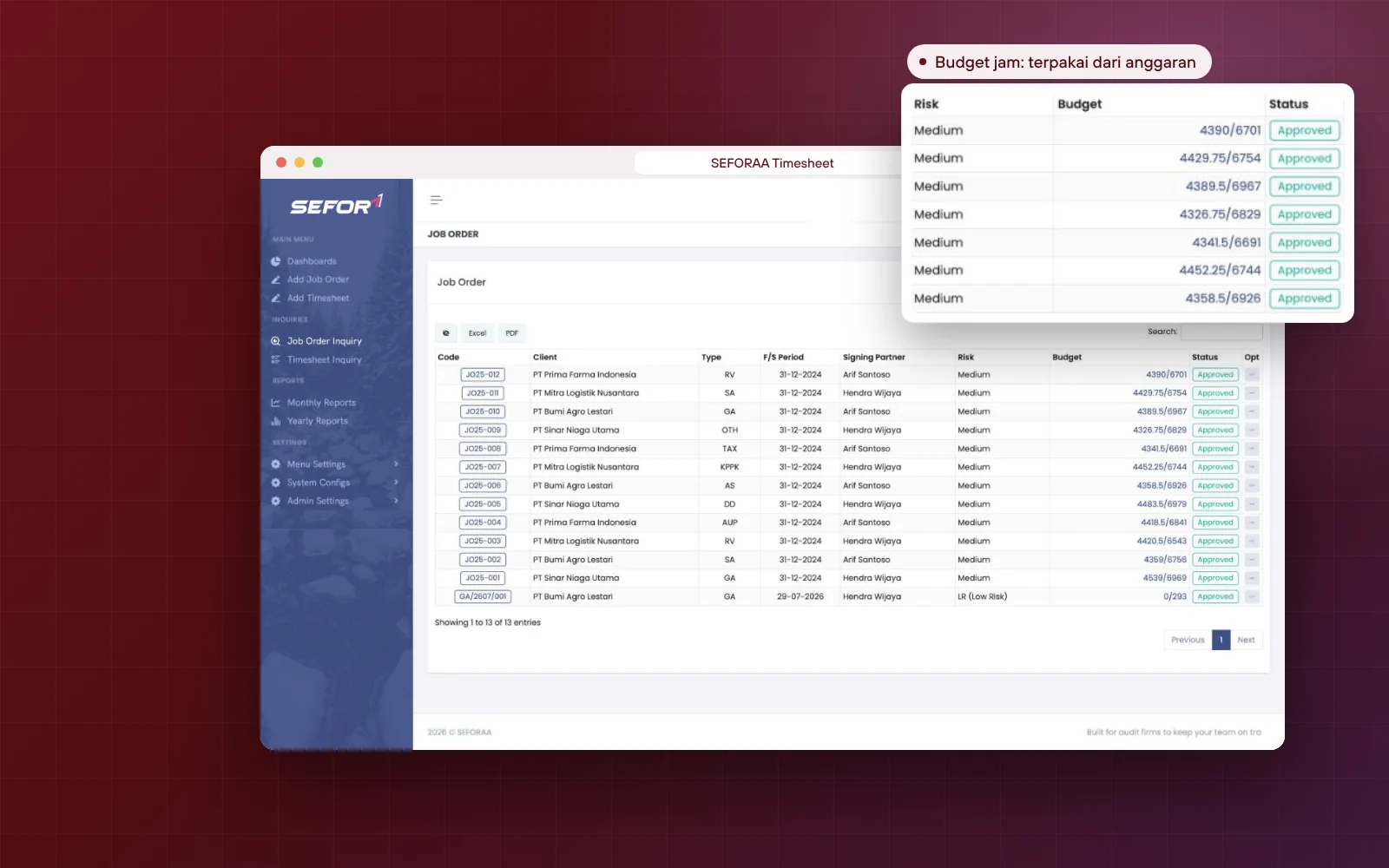
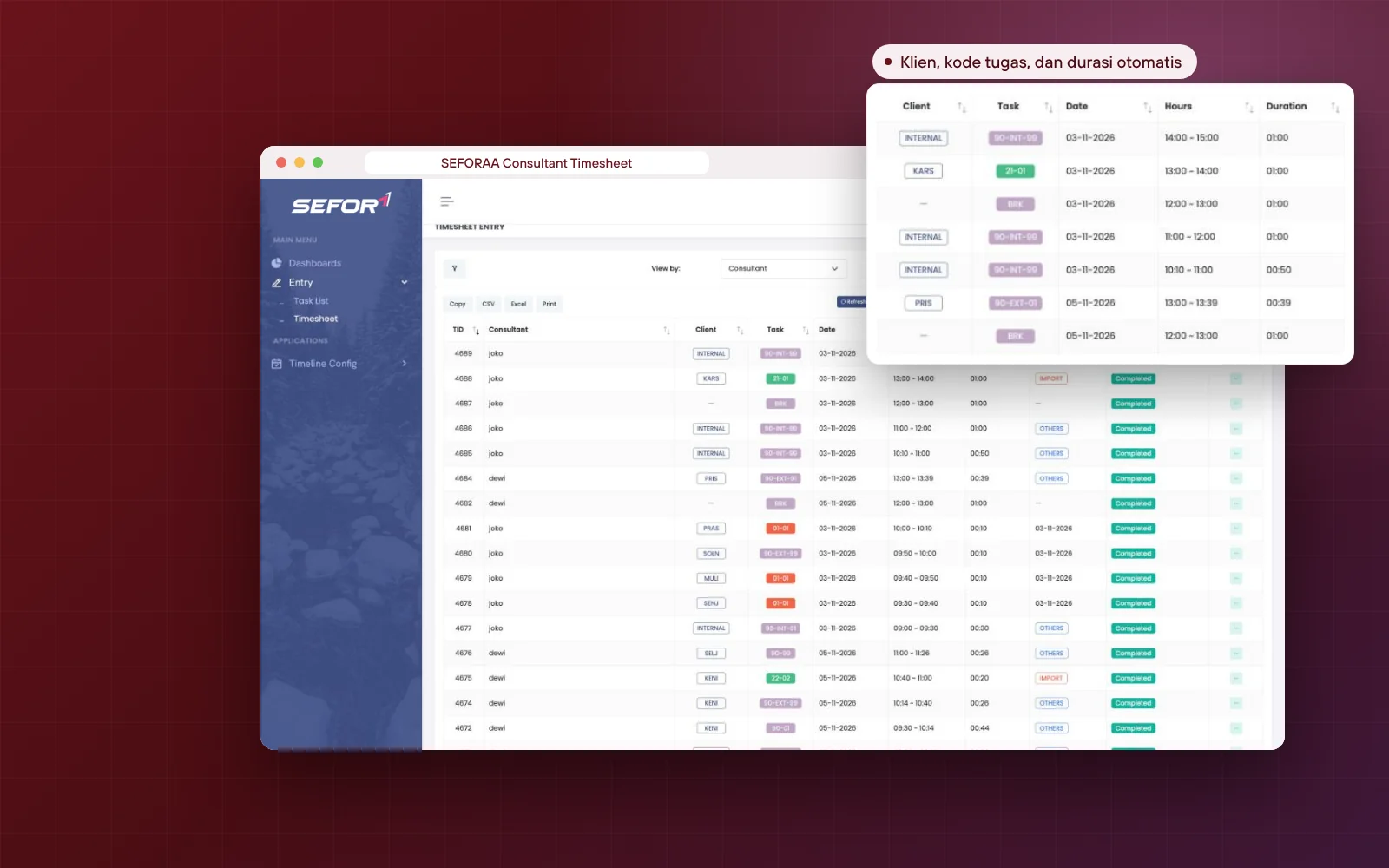
Timesheets and work status
Every working hour is recorded along with work progress
Consultants record not only how long they worked, but also for which client, which task and which stage it has reached. Managers immediately know which work is waiting for client data, in progress or needs revision.
Choose a client and sub-task from the firm's templates
Duration calculated automatically, with the next free slot suggested
Status from awaiting data to sent and viewed by the client
Priority from low to urgent, and progress percentage
Break and leave notes from the same screen
View per consultant or per client, export to Excel and CSV
Client and review mapping
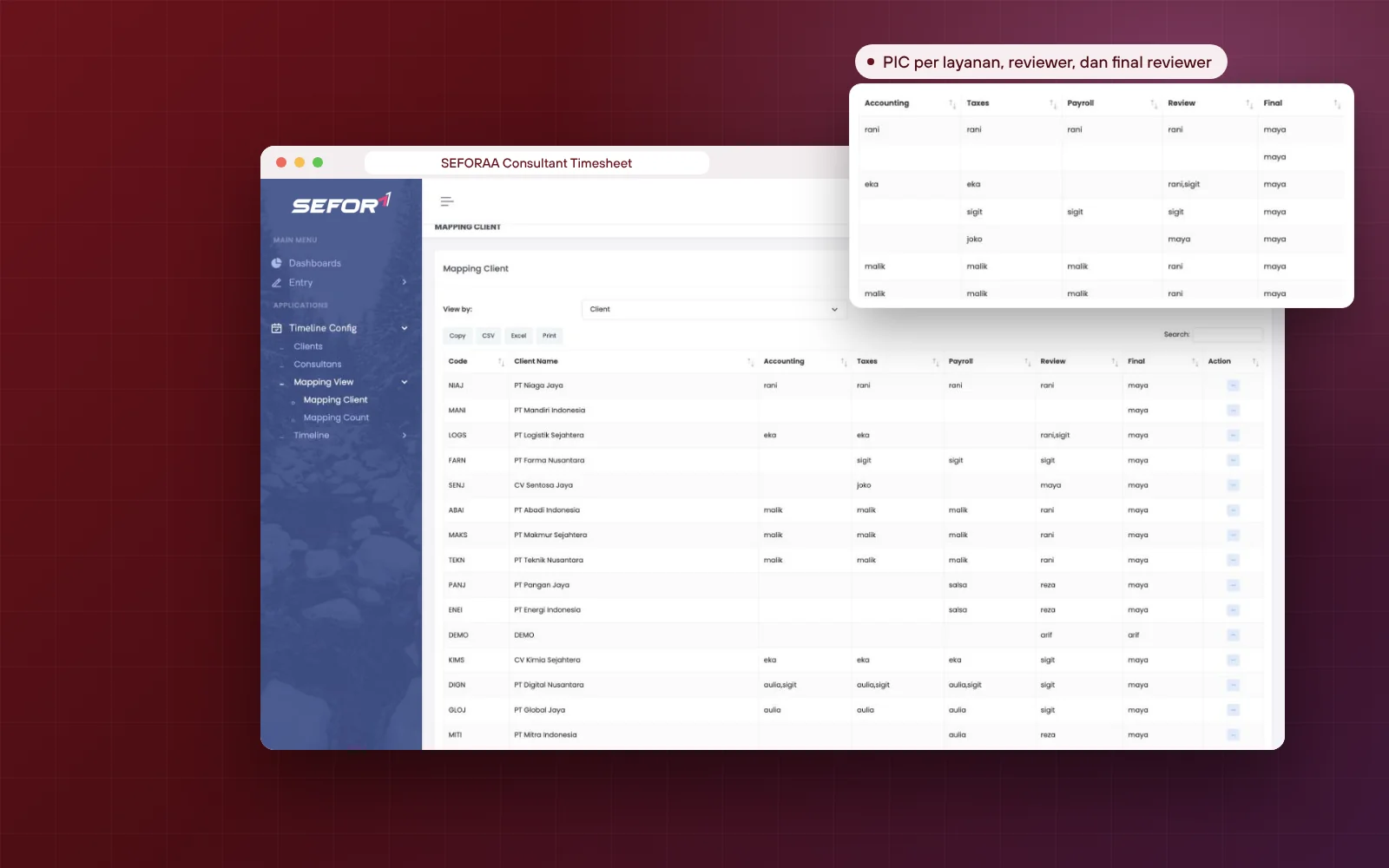
Clear who does the work, who reviews and who approves
Each client is mapped to consultants per service line, complete with reviewer and final reviewer. Completed work automatically enters the right review queue, so quality is maintained without people asking each other.
Separate PICs for accounting, tax and payroll
Reviewer and final reviewer per client
A dedicated review queue for the mapped clients
Each consultant's workload visible in one table
Client database with several PICs on the client side
Task templates that mark work that requires review
Monitoring and compliance
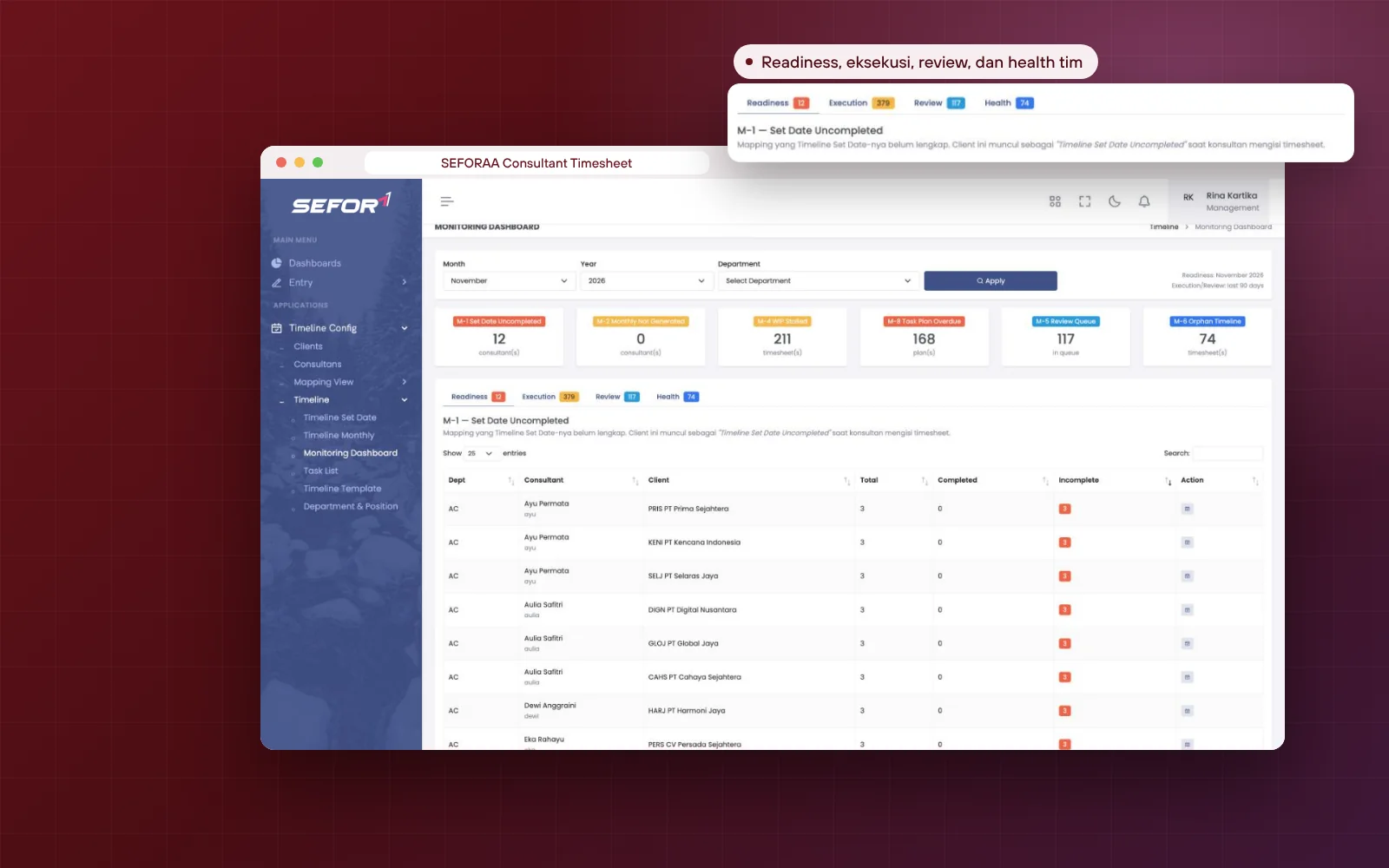
Monitor the health of the whole team's work from one dashboard
The monitoring dashboard summarizes schedule readiness, execution, review and the health of each month's timeline. Together with the compliance checklist per client, partners can make sure no tax payment or report is missed.
Incomplete client schedules per consultant
Held-up work and plans past deadline
Oldest review and final review queues
Checklist for withheld/collected PPh, VAT, payroll and BPJS per client
Reminders via Telegram, calendar email, application and TV screen
Overtime requests with multi-level approval
Who it is for
Built for service firms with recurring work for many clients
If every month your team handles the same deadlines for dozens of clients, and every piece of work must be checked before it is sent, this application is built for you.
01Tax consulting firmspay and file PPh and VAT for every client
02Accounting and bookkeeping firmsmonthly closing on time
03Payroll service and BPO providerspayroll, BPJS and PPh 21 for clients
04Other professional service firmswith layered review flows
Follow how your firm works, not the other way around
The service structure, stages and review flow can be set by the administrator. For more specific needs, our team can develop them quickly, because this application has been proven serving varied BPO clients.
What can be configured or developed
Timeline templates per department and service
Departments, positions and consultant levels
Lists of statuses, priorities and service types
Work that requires review or final review
Reminder channels that match the team's habits
Special reports for partners or management
Installation
Choose the installation that suits you
Main option
Installed on your own server
SEFORAA Consultant Timesheet is installed on your firm's server under a perpetual license. Client data and the team's work stay fully under the firm's control.
Perpetual license, not a monthly rentalNot a SaaS subscriptionClient data stored on your own server
No server yet?
Hosting by SEFORAA
No server yet? We offer hosting as a separately charged service, so your team can focus on using the application right away.
SEFORAA Consultant Timesheet is timesheet and work management software for consulting firms that serve many clients every month, such as tax consultants, accounting and bookkeeping firms and payroll service providers. The application combines working hour recording, per-client deadline timelines, a multi-level review flow and a team monitoring dashboard. It is developed by PT Tilyanpristka and used every day by its own consulting team.
How is it different from an ordinary time tracking application?
Time tracking applications usually only record work duration. SEFORAA Consultant Timesheet also manages what work must be finished for each client and when it is due, who the PIC and reviewer are, and which stage the work is at now, from awaiting client data to sent to the client.
Who is this application suitable for?
For tax consulting firms, accounting and bookkeeping firms, payroll service providers and other professional service firms that handle recurring work for many clients. For public accounting firms (KAP) with audit engagements, SEFORAA Auditor Timesheet is available.
Is SEFORAA Consultant Timesheet subscription-based (SaaS)?
No. The application is installed on your firm's server under a perpetual license; modifications, fixes and maintenance are available through SEFORAA's paid annual support service. If you do not have a server yet, SEFORAA hosting is available as a separately charged service.
What if a work deadline falls on a weekend or holiday?
Every schedule in the timeline can be set as a fixed date, or automatically moved earlier to the previous working day, or later to the next working day, when it falls on a weekend or holiday.
How is each client's work divided among consultants?
Each client is mapped per service line, for example accounting, tax and payroll, complete with the executing consultant, reviewer and final reviewer. The number of clients each consultant handles is also visible, so workload can be divided fairly.
What statuses can be used to track work?
A series of statuses is available: awaiting action, awaiting data, data received, in progress, needs revision, awaiting review, final review, approved, postponed, sent to client, viewed by client, through to completed, plus priority and progress percentage for each piece of work.
How do the review and final review flow work?
Work that needs review automatically enters the queue of the reviewer mapped to that client, then goes to the final reviewer when needed. The dashboard shows the oldest review queues, so no work is held up without anyone knowing.
Is there a weekly work plan?
Yes. Every consultant prepares a weekly work plan with deadlines, can copy last week's plan, and sees their working hours in a weekly calendar view. Plans that pass their deadline without a timesheet appear on the dashboard and in monitoring.
Can I monitor tax and BPJS compliance for every client?
Yes. A monthly checklist per client is available for withheld/collected PPh, VAT, payroll and BPJS, complete with notes, completion percentage and change history.
How are reminders sent?
Reminders can be scheduled once or recurring (daily, weekly, monthly, yearly) and sent through Telegram, email calendar invitations, application notifications or the office TV screen.
Is there an overtime request?
Yes. Consultants request overtime from the application, then the request is approved in sequence through to final approval, with a status of pending, awaiting final, approved or rejected.
Can work types be adapted to our firm's services?
Yes. Timeline templates are structured per department, and each piece of work can be marked recurring, needs review or needs final review. Departments, positions, priorities, services and statuses can also be set by yourself.
Has this application been proven in daily use?
Yes. The same application is used by PT Tilyanpristka to manage accounting, tax and payroll work for dozens of BPO clients every month.
How is client data kept secure?
Access is limited by role, every timesheet has a change history, and past periods can be locked. Because the application is installed on your server, client data stays under the firm's internal control.
RaaS Result as a Service
No software to buy. Just receive the results.
Not ready to use new software for administration? Through Result as a Service, the PT Tilyanpristka team can help turn your work data into the reports you need. Contact us to discuss the scope of service that suits your firm.